Twitter Video Downloader
Save Twitter videos with just one click.
About SSSTwitter - Your Trusted Twitter Video Downloader
Our advanced Twitter Video Downloader helps you save your favorite tweets directly to your mobile device or computer, completely free of charge. Download videos from public profiles with various privacy settings.
Enjoy unlimited Twitter video downloads using our fast and reliable service. Save as many videos as you need, at no cost. Our platform handles your requests quickly, providing download links in just seconds. Choose your preferred video quality, from crisp HD to standard resolution.
Download Twitter Videos Fast with SSSTwitter
Forget about complex copy-pasting procedures! Save Twitter videos in high-definition quality quickly and easily using SSSTwitter's video downloader. Whether you're on your smartphone, tablet, or desktop computer, our platform works seamlessly across all devices and browsers, making Twitter video downloads as MP4 files straightforward. Follow these simple steps:
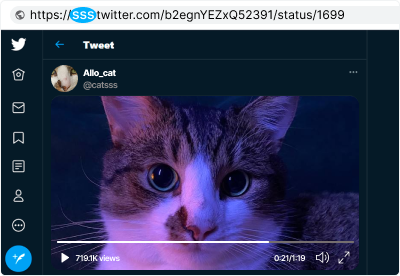
Simply paste the tweet URL into the input field and hit "ENTER" to start your download process!
Before you begin, make sure:
-
You're on a single tweet page.
-
The tweet contains a video.
-
Check the example below to see what we mean.
Examples of valid URLs:
-
https://twitter.com/Eminem/status/943590594491772928
-
https://mobile.twitter.com/Eminem/status/943590594491772928
Important! SSSTwitter does not store copyrighted material or enable unauthorized distribution. All videos are retrieved directly from Twitter's CDN.
How to Use SSSTwitter Downloader
Download Twitter videos on any device with internet connectivity, regardless of your operating system (Windows 7, Windows 10, Mac, Linux, Ubuntu, and more). Getting videos through our platform is simple and user-friendly; just follow these quick steps:
-
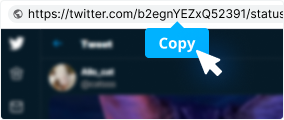
Copy the Tweet Link
Find the video you want to download on Twitter and copy the URL from your browser's address bar. When using the Twitter mobile app, you can copy the link by accessing the share menu.
-

Paste the Link into Our Tool
Navigate to the SSSTwitter website, paste the copied tweet URL into the input field at the top of the page, and click the Download button.
-

Save Your Video
Select your preferred video format and click the "Download" button. Your Twitter video will be saved to your device within moments.
Common Questions and Answers
-
Is it possible to download private Twitter videos?
No, downloading videos and GIFs from private accounts or protected tweets is not supported. We encourage users to respect copyright laws and user privacy when saving video content.
-
How do I download videos to my smartphone?
Simply copy the URL of the desired video, visit our website on your mobile device, and paste the link into the input field. For detailed guidance, refer to our "How to Use" section with complete step-by-step instructions.
-
Where do downloaded files get stored?
Downloaded videos are automatically saved to your device's default download folder or the custom directory you've configured in your browser settings.
-
Can I download media from any Twitter profile?
Yes, you can download content from any public Twitter account. We maintain strict respect for user privacy and intellectual property rights; accessing private content is not supported. Our team is currently developing a browser extension for desktop users to enhance the downloading experience directly from Twitter.
-
Are there restrictions on how many Twitter videos I can download?
No limits whatsoever. SSSTwitter places no restrictions on downloads, enabling you to save unlimited videos according to your needs.